
AI Yoga Class Planner
Draft a class in seconds, then make it yours. FLOW handles the blank page so you can spend your planning time on the parts that need a teacher.
AI class drafts · 420+ illustrated poses · edit every pose · PDF export · free to start.
On iPhone & iPad — or build in your browser.
Planning is the unpaid half of teaching
You are paid for the sixty minutes on the mat. The ninety minutes at the kitchen table the night before are free labour, and they are the reason teachers burn out on the admin long before they burn out on the teaching.
- •Teaching five classes a week and planning each one from nothing.
- •A 7am text asking you to cover a class at 9.
- •Falling back on the same flow because there is no time to build another.
- •Themes that were going to run across the term and quietly did not.
- •Notes in three notebooks, a Google Doc, and the back of a receipt.
AI drafts it. You teach it.
The slow part of planning is not judgment — it is the first draft. FLOW generates a structured class from a style, level and focus, and hands you something to react to. Reacting to a draft is fast; starting from an empty page is not.
What the planner actually does
Assistance where it saves time, your judgment where it matters.
Full Class Drafts
Style, level, length and focus in — a structured sequence out, ready to edit rather than ready to teach.
Next-Pose Suggestions
Stuck at pose eleven? Get ranked suggestions based on the flow you have built so far.
Duplicate and Vary
Copy last week, swap the peak, adjust the build. A fresh class in minutes instead of an evening.
Every Pose Checkable
Each suggestion maps to a real pose page with cues, benefits and contraindications — so you can verify before you teach.
Honest Timing
Total class length updates as you set holds. You learn the class runs long at the table, not in the room.
Export and Share
PDF for print, or a link that opens on any device for students, subs and co-teachers.
Who it helps most
What is an AI yoga class planner?
An AI yoga class planner is a tool that drafts a full class sequence from a short description — style, level, length and focus — which the teacher then edits. FLOW generates a structured draft following the standard warm-up, build, peak, counter-pose and cool-down arc, and makes every pose in it editable: reorder, swap, re-time, or replace. The AI removes the blank page; the teacher keeps every decision that matters.
Can AI plan a yoga class for me?
It can produce a competent first draft, and for an experienced teacher that is most of the time saved. What AI cannot do is know your room — who is pregnant, whose knee is recovering, who has never taken weight on their hands. Treat any AI-generated class as a draft to review and adapt, never as a plan to teach unread.
Is an AI-planned yoga class safe to teach?
Only after a teacher has reviewed it. FLOW builds drafts around safe-sequencing principles such as counter-posing and progressive preparation, and links each pose to its contraindications so they are one tap away. But responsibility for what happens in the room stays with the teacher, and every draft should be checked against the students actually present.
How much time does AI planning actually save?
The saving is concentrated in the first draft. Teachers commonly report forty-five to ninety minutes to plan a 60-minute class from scratch; generating a draft and editing it typically takes ten to twenty. The larger saving comes later, from duplicating and varying saved classes rather than starting fresh each week.
Planner or builder — which page do you want?
If you want to understand the generator itself — how AI drafting works, how suggestions are ranked — the AI yoga sequence builder page covers it. This page is about the workflow around it: planning a week of classes, keeping themes running across a term, and covering a class at short notice. Both use the same tool. Compared with a general chatbot, FLOW’s drafts map to a real 420+ pose library with cues and contraindications attached, so you can check a suggestion instead of trusting it. See our honest comparison pages.
Plan your week in one sitting
Generate a draft, refine it your way, export it. Free to start, no card needed.
Frequently asked questions
Is the AI class planner free?+
You get a daily allowance of AI pose suggestions free, plus the full 420+ pose library and a builder preview. Unlimited AI class drafts, unlimited saved flows, PDF export and shareable links are part of FLOW Pro — $7.99/month, or $59.99/year with a 7-day free trial.
Can I edit an AI-generated class?+
Every part of it. Drag to reorder, swap any pose, change hold times, sides, breath counts and repetitions, and add your own cues and notes. Most teachers keep roughly half of a draft and rebuild the rest — which is still far faster than starting empty.
How is this different from asking ChatGPT for a yoga sequence?+
A chatbot returns text. FLOW returns an editable sequence where every pose links to a real library entry with alignment cues, modifications and contraindications, holds are timed and totalled, and the result exports as a PDF or a shareable link. It also remembers your classes, so next week starts from this week rather than from nothing.
Which styles can it plan?+
Vinyasa, hatha, yin, restorative, power and gentle, at beginner through advanced levels, for any class length. Pacing and hold times differ substantially by style, and the drafts reflect that — a yin draft is six long holds, not thirty short ones.
Can I plan several classes at once?+
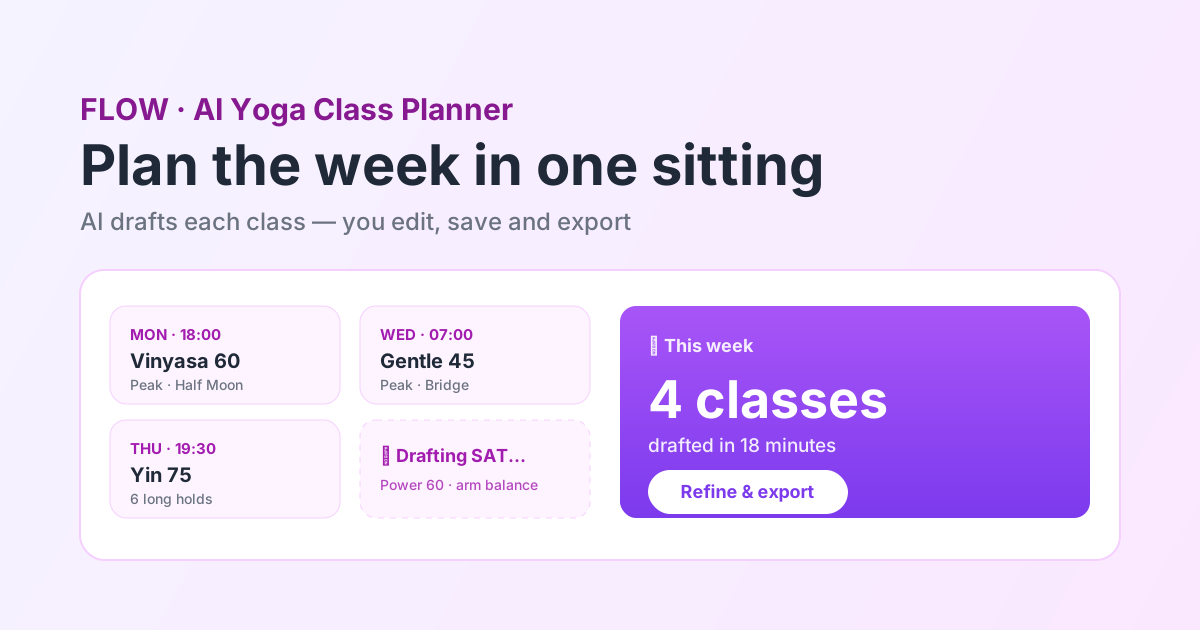
Yes. Generate and save as many classes as you need on Pro, then organise them from the dashboard. Most teachers plan a week in one sitting by drafting each slot, then duplicating and varying across the recurring classes.
Does it work on my phone?+
Yes — FLOW runs as a native iOS app on iPhone and iPad and in any modern browser. Plan on a laptop, pull the PDF up on your phone at the studio, or draft a cover class on the way there.
Will AI make my classes generic?+
It will if you teach the draft as written, which is why the tool is built around editing rather than accepting. The theme, the cueing, the peak you choose and the way you read the room are yours — those are what students actually experience as your teaching. The AI is doing the part nobody notices.
Do I need to be technical to use it?+
No. You pick a style, level, length and focus from dropdowns and press generate. Editing is drag-and-drop. If you can rearrange a playlist you can use the planner.