
Yoga Class Planner
Plan a complete class — warm-up, peak pose, cool-down — in minutes. 420+ poses, live timing, and a printable lesson plan at the end.
Live class timing · 420+ poses with cues · PDF lesson plans · free to start.
On iPhone & iPad — or build in your browser.
Planning a class on paper never survives the room
A great class has a shape: warm the body, build toward a peak, then counter and cool down so students leave balanced. That shape is hard to hold on an index card.
- •The class runs long — or ends ten minutes early with nothing left.
- •Cues and contraindications live in your head, not the plan.
- •Last week’s class is a photo of a notebook you cannot search.
- •Handing a plan to a sub means rewriting the whole thing.
Give the class a timeline, not a list
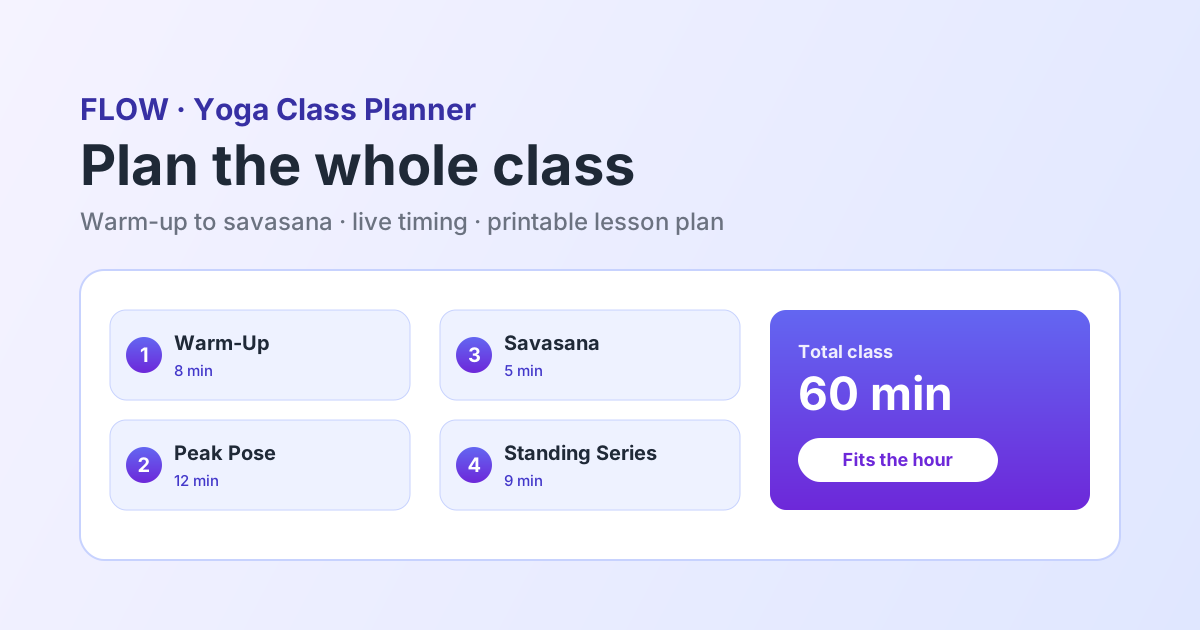
FLOW lays the whole class on one timeline so you can see its arc before you teach it. Add poses, set holds, write the cue you want to remember, and watch the running length update as you go.
Everything a class planner should do
Built around how teachers actually prepare a class.
Timing That Adds Up
Set a hold for every pose and watch total class length update live. Plan a 30, 60, or 90-minute class that fits the slot.
420+ Pose Library
Search by name, type, or focus and drop poses into the plan — each with cues, benefits, and contraindications.
AI Pose Suggestions
Stuck on what comes next? Get suggestions that respect safe sequencing so transitions feel natural.
Printable Lesson Plans
Export a clean PDF for your binder, the studio wall, or a substitute teacher. Share a link in one tap.
See The Whole Arc
The entire class on one screen, so you can tell at a glance whether the build-up actually earns the peak.
Reuse And Adapt
Duplicate a plan and swap a few poses instead of starting from a blank page every week.
Who plans with FLOW
How do you plan a yoga class?
Plan a yoga class by choosing the peak pose first, then working backwards. Warm up the joints and actions the peak needs, build through standing or flowing shapes, arrive at the peak, then counter it and cool down to savasana. Allow roughly 10 minutes of warm-up and 5-8 minutes of savasana in a 60-minute class. A yoga class planner like FLOW lets you set a hold for each pose so the total length is visible while you plan.
What is a yoga class planner?
A yoga class planner is a tool for laying out a full class — warm-up, peak pose, cool-down — with timing, cues, and pose details in one place. FLOW gives teachers a 420+ pose library, live class timing, AI next-pose suggestions, and a printable PDF lesson plan.
How long should each part of a yoga class be?
A common 60-minute shape is 8-10 minutes of warm-up, 25-30 minutes of building through standing and flowing poses, 5-10 minutes at and around the peak, 5-8 minutes of counter-poses and floor work, and 5-8 minutes of savasana. FLOW totals your holds live so you can see whether the plan actually fits the slot.
How do teachers write a yoga lesson plan?
Most teachers record the pose order, how long to hold each shape, which side to start, the cue they want to teach, and any contraindications to watch. FLOW attaches all of that to the pose itself and exports it as a PDF lesson plan you can print or hand to a substitute.
A planner, not just a pose list
Plenty of apps will show you yoga poses. A class planner has to answer a different question: does this class hold together and does it fit the hour? FLOW is built around the timeline and the running clock, with cues and contraindications attached to each pose — on iPhone, iPad, and the web. See our honest comparison pages.
Plan your next class now
Free to start. No credit card required.
Frequently asked questions
Is the yoga class planner free?+
Yes. You can plan and preview a class for free with full access to the 420+ pose library. Pro ($7.99/month or $59.99/year) unlocks unlimited saved class plans, PDF export, and shareable links.
How long does it take to plan a class?+
Most teachers plan a full 60-minute class in under 10 minutes once they know the builder — faster when they start from a ready-made sequence and adjust it.
Can I plan different class lengths?+
Yes. Set a hold time for each pose and the total class length updates live, so you can plan anything from a 15-minute express flow to a 90-minute workshop.
Can I print or share my lesson plan?+
Yes. Export a clean PDF for printing or your binder, or share a link with a co-teacher, sub, or student. Both open on any device.
Does it work for vinyasa, hatha, yin, and prenatal?+
Yes. FLOW supports every common style. Choose your style and level and the planner adapts — and you can start from style-specific sequence templates.
Can I plan a class around a peak pose?+
That is the intended workflow. Choose the peak, then build the warm-up around the actions it needs. Seeing the whole class on one screen makes it obvious whether the build-up earns the peak or skips a step.
Can I reuse a class plan next week?+
Yes. Duplicate a saved plan and swap a few poses rather than starting from a blank page. Pro keeps unlimited saved plans.
Can I use it on my phone while teaching?+
Yes. FLOW runs as a native iOS app and in any modern browser, so the plan is on your phone at the front of the room, not in a notebook at home.